
November 6, 2026
Cursor Craft 2.1.1: Per-App Cursors
Cursor Craft 2.1.1 adds Per-App Cursors: give any Mac app its own cursor pack, and Cursor Craft switches to it whenever that app is in front.
Cursor Craft 2.1.1 is out now. It adds Per-App Cursors: give any app its own cursor pack, and Cursor Craft switches to it whenever that app is in front, then switches back when you leave.
Download Cursor Craft for Mac to get 2.1.1, or update from inside the app.
New: Per-App Cursors
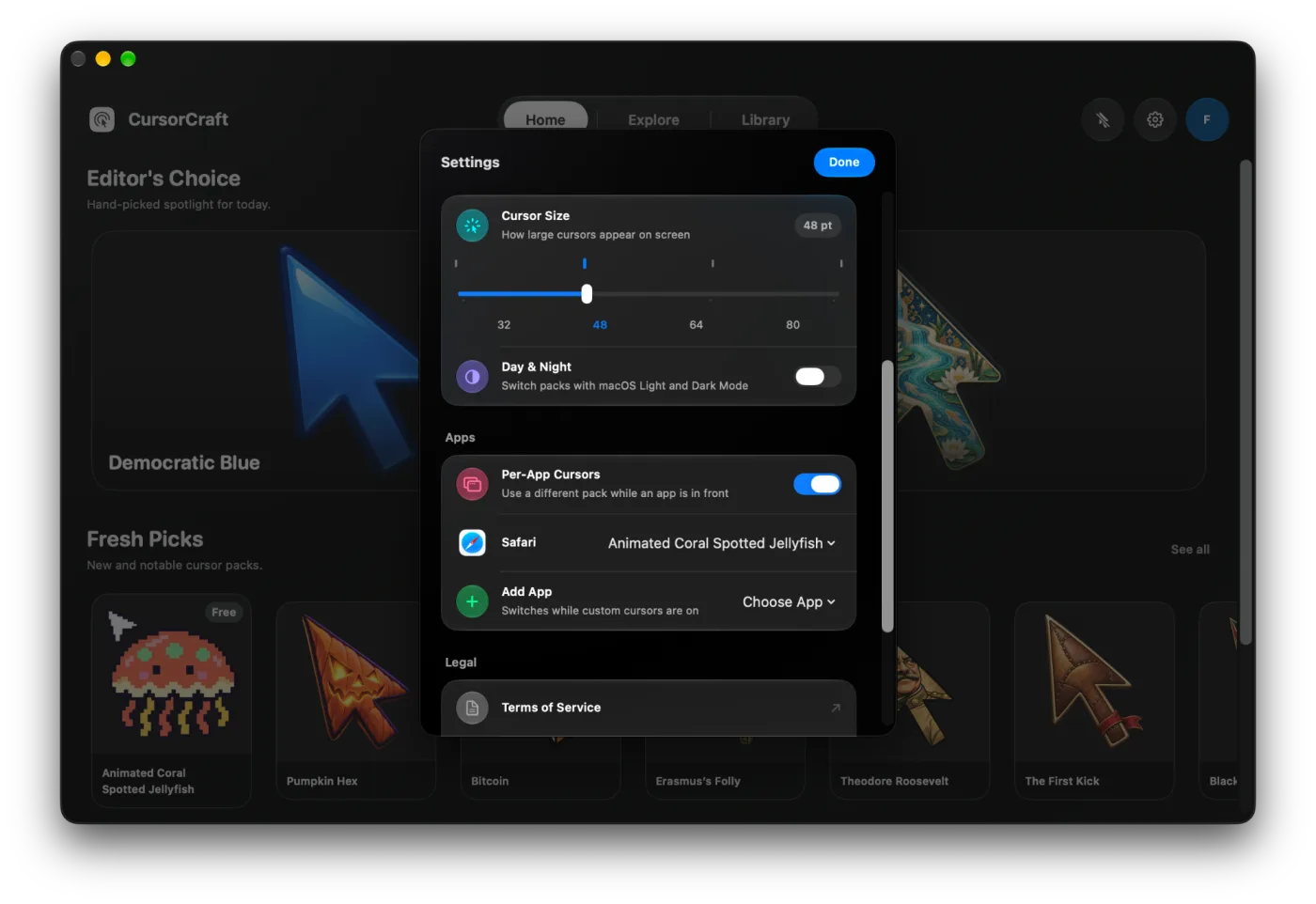
Use a big, easy-to-see cursor in Keynote or Zoom, a precise one in Figma, and your everyday pack everywhere else.
- Turn it on in Settings → Apps, then use Add App to pick an app and choose its pack.
- Or open the arrow next to Apply on any pack and choose Use in <app>.
- Cursor Craft switches the moment the app comes to the front and goes back to your main pack when you move on.
Works with Day & Night
Day & Night from 2.1 is still here: pick one pack for Light Mode and one for Dark Mode, and Cursor Craft follows your Mac's appearance, even on an Auto schedule. Set it up in Settings → Appearance.
Both features only work while your custom cursors are turned on, and they never turn them back on after you switch them off.
Version details
Version 2.1.1 (build 2.1.5). Requires macOS 13 or later.
Feedback
Follow @cursor_craft for new packs and release notes. If you run into a problem or want to send feedback, email support@cursor-craft.app.