
November 7, 2026
Cursor Craft 2.1.3: New Packs in the Menu Bar
Cursor Craft 2.1.3 shows the six newest cursor packs at the top of the menu bar menu, with a dot on the ones you haven't seen yet.
Cursor Craft 2.1.3 is out now. The six newest cursor packs now show up at the top of the Cursor Craft menu bar menu, so you can spot new releases without opening the app.
Download Cursor Craft for Mac to get 2.1.3, or update from inside the app.
New: See what's new from the menu bar
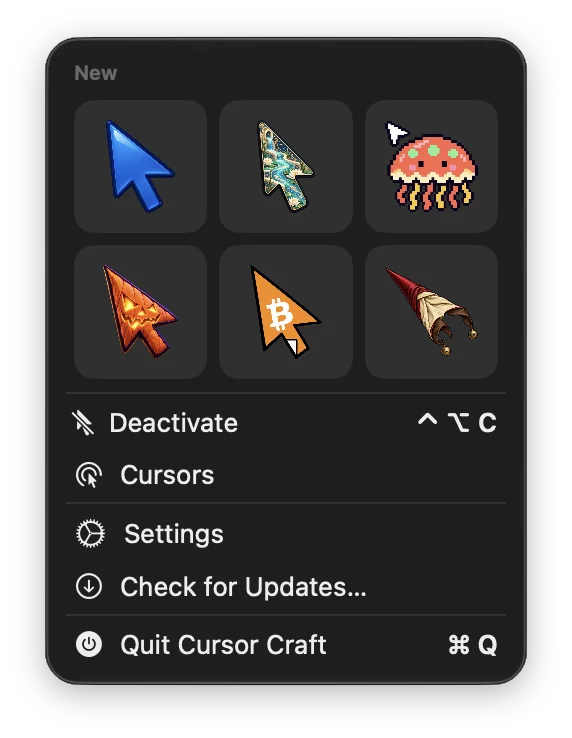
- The six newest packs appear in a New section at the top of the menu.
- Packs you haven't seen yet have a small dot, so you can tell what arrived since you last looked.
- Hover over a pack to see its name. Click it to go straight to its page, where you can preview it, apply it or get it.
Before and after
Before 2.1.3, the menu only had the app controls:
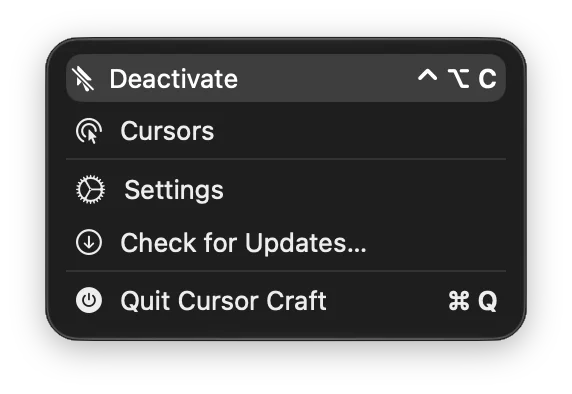
Now the newest packs sit above them, as shown at the top of this post.
Also in 2.1
Custom Toggle Shortcut from 2.1.2, Per-App Cursors from 2.1.1 and Day & Night from 2.1 are still here.
Version details
Version 2.1.3 (build 2.2.1). Requires macOS 13 or later.
Feedback
Follow @cursor_craft for new packs and release notes. If you run into a problem or want to send feedback, email support@cursor-craft.app.